

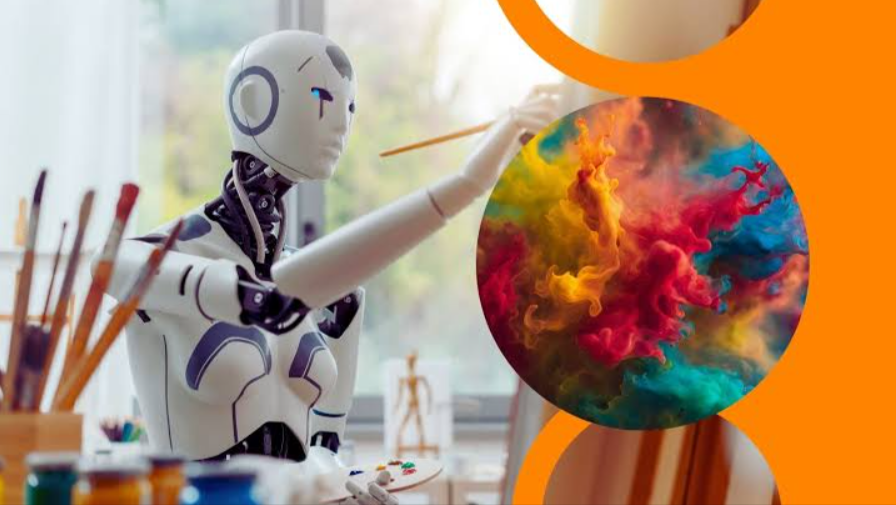
Artificial intelligence is changing how artists and creators approach image-making. Not long ago, producing a detailed visual often meant spending hours sketching, editing, searching for references, or building a composition from scratch. Today, AI-powered tools can help turn a simple idea or written description into a visual starting point within moments. This does not necessarily replace the creative process; instead, it gives creators another way to develop and refine their ideas.
The biggest change is the move from creating every element manually to working alongside intelligent creative tools. Artists can use AI to explore concepts, designers can test different compositions, and content creators can produce visuals that support articles, videos, social media posts, and other projects. Marketers can also use AI-assisted creation to develop visual concepts for campaigns and adapt them for different audiences.
AI can influence almost every stage of the creative process. It can help with brainstorming before an image is made, generate an initial concept, assist with editing, and provide different versions for experimentation. As these technologies continue to develop, the relationship between human creativity and automated tools is becoming an important part of modern visual production.
2. What Is AI Image Generation?
AI image generation is the process of using artificial intelligence to create or modify visual content based on instructions provided by a user. In many cases, the creator enters a text prompt describing what they want to see. The AI system then interprets the description and generates an image based on the requested subject, style, composition, lighting, and other details.
Text is not the only way to guide these systems. Some tools can also work with reference images, allowing creators to provide visual information that influences the resulting image. This can be useful when someone wants to maintain a particular composition, appearance, color direction, or overall visual concept.
Behind these tools are machine learning models trained to recognize patterns in large amounts of visual and textual data. Generative AI uses those learned patterns to produce new content in response to an instruction. The technology does not work in exactly the same way as a human artist studying a subject and deciding how to draw it. Instead, it processes the relationships it has learned between concepts, words, and visual characteristics to generate a new result.
Traditional digital artwork generally involves a person manually creating and controlling individual elements using tools such as drawing software, brushes, layers, shapes, and photo-editing features. AI-assisted creation changes this workflow by allowing the creator to describe, generate, modify, or explore visual ideas through AI. The human still decides what the image should communicate and which result is worth developing, while the AI can assist with parts of the production process.
3. Turning Ideas Into Images Faster
One of the most noticeable advantages of AI image tools is the ability to turn written ideas into visual drafts quickly. A creator who has an idea for a futuristic city, product concept, character, illustration, or advertising scene can describe the concept and use the resulting image as a starting point.
This can be particularly useful when working from a blank canvas. Instead of immediately deciding every detail of a composition, creators can first generate several rough directions and then identify which elements are worth developing. The initial output does not have to be the final artwork. It can simply provide a visual reference that helps clarify the original idea.
AI also makes it easier to explore several concepts in a short period. A creator can change the setting, perspective, lighting, color palette, subject, or artistic style and compare different results. This type of rapid experimentation can reveal possibilities that might not have been considered during the initial planning stage.
Speed, however, is most useful when it supports better decision-making rather than simply producing more images. By quickly testing different approaches, creators can identify what works, remove weak ideas, and refine the direction of a project before investing significant time in detailed production.
4. How AI Is Changing the Creative Workflow
AI is becoming part of different stages of the creative workflow, beginning with brainstorming and visual ideation. Creators can use prompts to explore possible themes, scenes, layouts, and visual styles before deciding how they want the final project to look. This can make the early planning stage more interactive.
The technology can also help generate rough concepts and compositions. For example, a designer working on a campaign might create several visual directions before selecting one for further development. An illustrator could explore different character appearances or environments, while a content creator could test possible thumbnail concepts.
AI-assisted editing is another important part of this changing workflow. Depending on the tool, creators may be able to remove unwanted elements, modify parts of an image, expand a composition, improve visual quality, or create alternative versions. These capabilities can reduce the amount of repetitive work involved in preparing an image.
Images also need to work across different platforms and formats. A single visual may need to be adapted for a website, social media post, presentation, advertisement, or video. AI-assisted tools can help creators adjust compositions and create variations for different requirements, reducing the need to rebuild each version completely.
As a result, the creative workflow is becoming more flexible. Instead of following a strictly manual process from concept to final image, creators can move back and forth between brainstorming, generation, editing, and refinement. AI can handle some of the time-consuming steps while the creator remains responsible for the overall direction and final result.
5. AI Art Generators and Creative Experimentation
An AI art generator can give artists and other creators a practical way to experiment with visual ideas without committing to a single approach from the beginning. By changing a prompt or adjusting the instructions, users can explore different interpretations of the same concept and use those results to develop their own creative direction.
Experimentation can involve much more than changing an image’s subject. Creators can test different artistic styles, compositions, color combinations, lighting conditions, camera perspectives, environments, and moods. For example, the same basic concept could be explored as a realistic photograph, a digital illustration, a cinematic scene, or a stylized artwork.
This flexibility can be useful during the early stages of a project because creators can compare possibilities before deciding what fits their purpose. It can also encourage experimentation that may be difficult to achieve manually within a limited amount of time.
At the same time, AI works best as part of a broader creative process rather than as a replacement for creative judgment. An automatically generated image may contain useful ideas but still require changes to its composition, details, message, or overall style. Artists and creators can treat AI outputs as references, drafts, or starting points and then apply their own knowledge and decisions.
The value of experimentation ultimately comes from what the creator does with the results. AI can produce numerous possibilities, but selecting the right direction, understanding the audience, and developing a recognizable creative vision remain human-driven parts of the process.
6. AI for Different Types of Artists and Creators
AI image tools are not limited to one type of creative professional. Different creators can use them in different ways depending on their goals, workflow, and level of technical experience. For some, AI may be mainly useful for brainstorming, while others may use it for editing, variations, or supporting visual content.
Digital Artists
Digital artists can use AI to explore concepts before developing a finished piece. A prompt can help visualize a character, environment, object, or scene and provide different directions to consider. These generated concepts can serve as references while the artist develops the final work using their own techniques.
AI can also make visual exploration faster. Instead of manually creating several rough versions, an artist can test different compositions, lighting conditions, or styles and use the results to decide which direction is worth pursuing.
Graphic Designers
Graphic designers often need to produce visuals for different campaigns, brands, and formats. AI can assist with early layouts, background concepts, decorative elements, and other supporting graphics.
For example, a designer creating a promotional banner might generate several background ideas before building the final design. The AI-generated material can then be combined with typography, logos, brand elements, and manually designed components. This allows designers to spend more time on composition, communication, and visual consistency rather than creating every supporting element from scratch.
Content Creators
Content creators regularly need fresh visuals for platforms such as YouTube, Instagram, websites, and other social channels. AI can help generate thumbnail concepts, illustrations, backgrounds, social media graphics, and other supporting visuals.
A creator working on a video might use an AI-generated image as a thumbnail concept or create several visual variations to see which one better matches the subject of the content. AI can also help maintain a steady supply of visual material when creators are producing content frequently.
Photographers
Photographers can use AI in ways that complement traditional photography. Instead of replacing the original photograph, AI-assisted tools can help with enhancement, creative adjustments, background changes, or generating alternative versions of an image.
For instance, a photographer may use AI to clean up unwanted elements, extend a background, or experiment with a different visual treatment. These capabilities can reduce repetitive editing work while still allowing the photographer to control the final appearance.
Illustrators
Illustrators can use AI to explore compositions and visual references during the planning stage. A rough description can produce different interpretations of a scene, helping an illustrator think about positioning, perspective, environments, and character interactions.
The generated material does not have to become the finished illustration. It can instead function as a reference that helps the illustrator make creative decisions before producing the final artwork in their preferred style.
7. Creating More Personalized and Varied Images
Another way AI is changing image creation is by making it easier to produce variations of the same concept. Instead of creating one visual and using it everywhere, creators can develop multiple versions that suit different audiences, messages, or platforms.
A single campaign, for example, might require several visual treatments. One version could emphasize a product, another could focus on lifestyle imagery, and another might use a more minimal composition. AI can help generate and explore these alternatives quickly, giving creators more options during the development process.
Personalization can also involve adapting visuals to different audiences. A creator may change the tone, imagery, colors, setting, or level of detail depending on who is expected to see the content. This can be especially useful for digital campaigns where the same general message needs to be presented in several ways.
Platform requirements can influence the design as well. A graphic created for a website may not work equally well as a vertical social media post or a video thumbnail. AI-assisted workflows can help create variations that fit different dimensions and presentation styles without requiring the entire concept to be rebuilt.
The technology also encourages experimentation with artistic directions. Creators can compare realistic, illustrated, minimalist, cinematic, or other visual approaches before choosing one. However, personalization does not mean handing every creative decision to AI. The creator still needs to determine what is appropriate for the audience, purpose, and overall identity of the project.
In this way, AI can support personalization while keeping creative control with the person behind the project. It expands the number of possibilities that can be explored without removing the need for human judgment.
8. Combining AI Image Creation With Video Content
The relationship between AI-generated images and video creation is becoming increasingly important. An image can serve as more than a final visual; it can also become the starting point for a video project. Creators can use a generated scene, character, product concept, or illustration as visual material for animation and video storytelling.
For short-form content, AI-generated visuals can provide backgrounds, transitions, illustrations, title sequences, or supporting scenes. They can also be incorporated into presentations, educational videos, promotional content, and social media projects where custom visuals are needed.
AI image generators and AI video creation tools can therefore complement one another. A creator might first develop the visual concept as a still image and then use video software to animate the scene, add movement, create transitions, or combine it with narration and music. This creates a workflow in which image generation becomes one stage of a larger production process.
This approach can also make it easier to experiment with visual storytelling. Instead of trying to describe an entire video at once, a creator can develop individual scenes and visual concepts first. Those elements can then be organized into a sequence and refined through video editing.
AI-assisted workflows can extend beyond image and video generation. Tools that understand natural-language instructions can help creators plan scenes, refine ideas, generate supporting material, or organize parts of an editing process. ChatGPT-assisted workflows, for example, can be used for brainstorming scripts, developing scene descriptions, writing prompts, or planning how different visuals should fit into a video.
The important point is that image and video creation are increasingly connected. A visual created during the concept stage can potentially move through several stages of production, from a simple idea to an image and eventually into a complete video.
9. Improving Existing Images With AI
AI is also changing image creation by making it easier to modify visuals that already exist. Rather than generating an entirely new image, creators can use AI-assisted editing to make targeted changes while keeping important parts of the original composition.
One common application is removing or changing unwanted elements. Objects, distractions, or background details can sometimes be replaced without requiring the creator to manually rebuild the entire area. This can be useful for both professional photography and everyday content creation.
AI can also help expand an image beyond its original boundaries. A creator may have a photograph or illustration that needs a wider background for a banner or a different layout. AI-assisted expansion can generate additional visual content around the existing image, giving the creator more flexibility when adapting it to a new format.
Image enhancement is another area where AI can contribute. Depending on the tool, creators may be able to improve clarity, adjust details, reduce certain visual imperfections, or prepare an image for a different use. These capabilities can be particularly helpful when working with older, lower-quality, or heavily compressed visuals.
Creators can also use existing artwork as the foundation for variations. Instead of starting over, they can experiment with different backgrounds, compositions, styles, or other visual changes while retaining important elements of the original work.
However, AI editing does not make traditional editing skills irrelevant. Manual tools remain useful when precise control is required, especially for professional designs where small details, brand consistency, and exact placement matter. Combining conventional editing software with AI-assisted features can give creators both flexibility and control.
The result is a more adaptable creative workflow. AI can handle certain repetitive or exploratory tasks, while traditional techniques allow creators to make precise adjustments and ensure that the final image matches their intended vision.
10. The Role of New AI Image Models
Newer AI image models are making image generation more capable by improving both visual quality and their ability to understand detailed instructions. Earlier systems could struggle when users provided complex prompts, particularly when a scene contained multiple subjects, specific relationships between objects, or several visual requirements. Newer models are increasingly able to process these instructions with greater context.
Improved instruction following can give creators more control over the generation process. Instead of describing only a basic subject, users can provide information about composition, perspective, lighting, colors, mood, materials, and other visual characteristics. The resulting images can therefore be more closely aligned with the original concept, although results can still vary depending on the prompt and the complexity of the request.
More advanced models are also contributing to detailed and realistic compositions. Fine visual elements, textures, lighting, and relationships between objects can be handled with greater sophistication. This can be useful for creators who need realistic scenes as well as those experimenting with stylized or imaginative artwork.
The development of newer models also means creators have more opportunities to combine different creative requirements in a single workflow. A tool such as a GPT Image 2.5 AI image generator represents the broader direction of AI image technology toward models that can respond to increasingly detailed creative instructions. Rather than being limited to simple text-to-image requests, modern systems are becoming more useful for exploring complex visual concepts and producing variations.
These improvements do not remove the need for creative direction, but they can make AI-assisted image creation more flexible. As models become better at understanding context and visual relationships, creators can spend more time deciding what they want to communicate and how they want to refine the resulting work.
11. Where Human Creativity Still Matters
Despite the progress of AI image generation, creative direction remains an important human responsibility. AI can assist with production and experimentation, but it does not automatically understand the personal experiences, cultural context, emotions, or purpose that may shape an artist’s work.
Storytelling is one area where human input remains particularly important. A technically impressive image may still fail to communicate the intended message if its composition, mood, or visual details do not support the story. Creators have to decide what an image should make the audience feel or understand and which visual elements contribute to that goal.
Originality and artistic identity also require deliberate choices. AI can generate many possible styles and interpretations, but an artist’s recognizable approach comes from decisions developed over time. The way a creator handles color, composition, subject matter, symbolism, and emotion can give their work a distinct identity.
Human judgment is also necessary when selecting AI-generated results. A creator may receive several usable images but still need to determine which one best fits the project. Some results may contain unwanted details, inconsistent elements, or visual choices that do not match the intended direction.
For this reason, reviewing and refining AI-generated content remains an important part of the workflow. Creators can correct problems, combine useful elements, adjust the composition, and apply their own techniques before considering an image complete.
The most practical approach is therefore collaboration rather than complete automation. AI can handle certain stages quickly, while people provide the creative vision, context, judgment, and refinement needed to turn generated material into purposeful work.
12. Challenges and Limitations of AI-Generated Images
AI image generation has advanced considerably, but it still has limitations. One common issue is inconsistency. The same prompt can produce different results, and a generated image may not always accurately represent every detail requested by the creator.
Small details can also create problems. Text within images, hands, facial features, objects, proportions, and complex interactions between multiple subjects may sometimes appear incorrectly. A result that looks convincing at first glance may contain errors that become obvious when examined closely.
Maintaining a consistent artistic identity can be another challenge. When creators generate images across different sessions, styles and visual characteristics may vary. This can make it difficult to maintain the same appearance for a series of illustrations, characters, brand assets, or other connected projects without additional editing and direction.
Copyright and ownership questions are also part of the wider discussion around generative AI. The legal treatment of AI-generated content can vary depending on the jurisdiction, the source material involved, how an image was created, and the degree of human contribution. Creators therefore need to understand the rules and terms relevant to the tools and content they use.
There are also questions surrounding authenticity and ethics. Audiences may want to know whether an image represents a real photograph, a human-created artwork, or AI-generated content. The use of AI can be appropriate in some contexts while requiring greater transparency or caution in others.
These limitations highlight why human review remains important. AI-generated content should not automatically be treated as finished simply because it looks polished. Checking accuracy, context, originality, details, and suitability allows creators to identify problems before an image is published or used in a larger project.
13. What the Future of AI-Assisted Image Creation Could Look Like
AI is likely to become more deeply integrated into the creative software that artists and designers already use. Instead of switching between separate applications for different tasks, creators may increasingly find AI-assisted generation, editing, enhancement, and organization features built directly into familiar creative workflows.
Creative tools are also becoming more conversational. Rather than relying entirely on menus and individual settings, users can increasingly describe what they want in natural language. Future systems may become better at understanding the context of a project, remembering creative requirements, and making changes based on a series of related instructions.
This could shorten the distance between an initial idea and a finished image. A creator might begin with a rough concept, develop several visual directions, refine one of them, make targeted edits, and prepare versions for different platforms without repeatedly rebuilding the project from the beginning.
The connection between different forms of AI-generated media is likely to grow as well. Images, video, audio, animation, and written content can already be used together in digital projects, and future workflows may make these transitions increasingly seamless. An image could become part of an animated sequence, a video concept could generate supporting artwork, and written descriptions could help coordinate the entire project.
However, greater automation does not necessarily mean less human involvement. As AI handles more technical and repetitive tasks, creators may have more opportunity to focus on storytelling, visual identity, creative decisions, and audience needs.
The future of image creation is therefore likely to involve collaboration between people and AI. The technology can expand the number of ideas that creators can explore, while human direction determines which ideas are meaningful and how they should ultimately be presented.
14. Conclusion
AI is changing image creation by making it easier to explore ideas, generate concepts, edit existing visuals, and produce multiple variations. Artists, designers, photographers, illustrators, and content creators can use these capabilities at different stages of their workflows, from early brainstorming to final production.
One of the biggest changes is the speed of experimentation. Creators can test visual concepts without always starting from a blank canvas, while AI-assisted editing can reduce some repetitive tasks. The same technology can also connect image creation with video and other forms of digital content.
However, AI does not eliminate the need for human creativity. Storytelling, originality, artistic identity, context, and final judgment remain important when turning generated material into meaningful visual work. AI can provide possibilities, but creators still decide which possibilities are worth pursuing.
The most useful way to approach AI image generation is as a creative tool rather than a complete replacement for the artist. By combining AI-assisted production with human imagination, editing skills, and creative direction, artists and creators can explore more ideas while maintaining control over the vision behind their work.